
Download mGalaxy – Arcade, Emulator, Retro Gaming, Game Library, Controller Support, Customizable Interface
Overview
mGalaxy redefines mobile retro gaming by transforming smartphones and tablets into full-featured arcade platforms. Designed for enthusiasts who cherish classic gaming experiences, the app enables users to run thousands of games from various consoles and arcade machines directly on Android devices. It serves as a centralized hub for retro gaming, offering seamless access to beloved titles from generations past. The app is particularly valuable for users seeking a unified, customizable solution that eliminates the complexity of managing multiple emulators and game files.
Target users include retro gaming fans, mobile gamers interested in classic titles, and hobbyists exploring emulator setups on mobile devices. While the developer, mGalaxy, has not provided detailed background information, the app’s functionality suggests a focus on accessibility and user experience. Real-world use cases include playing Super Nintendo, PlayStation, and arcade classics on the go, using a smartphone or tablet as a portable gaming console. This capability positions mGalaxy as a key tool in the mobile retro gaming ecosystem, bridging the gap between legacy hardware and modern mobile platforms.
The developer did not provide additional technical details. Specific requirements were not listed. Compatibility information was not fully disclosed.
Key Features & Functionality
- Extensive Game Library Support: mGalaxy supports thousands of games across multiple consoles and arcade machines, enabling users to access a vast collection of classic titles without switching between apps or emulators.
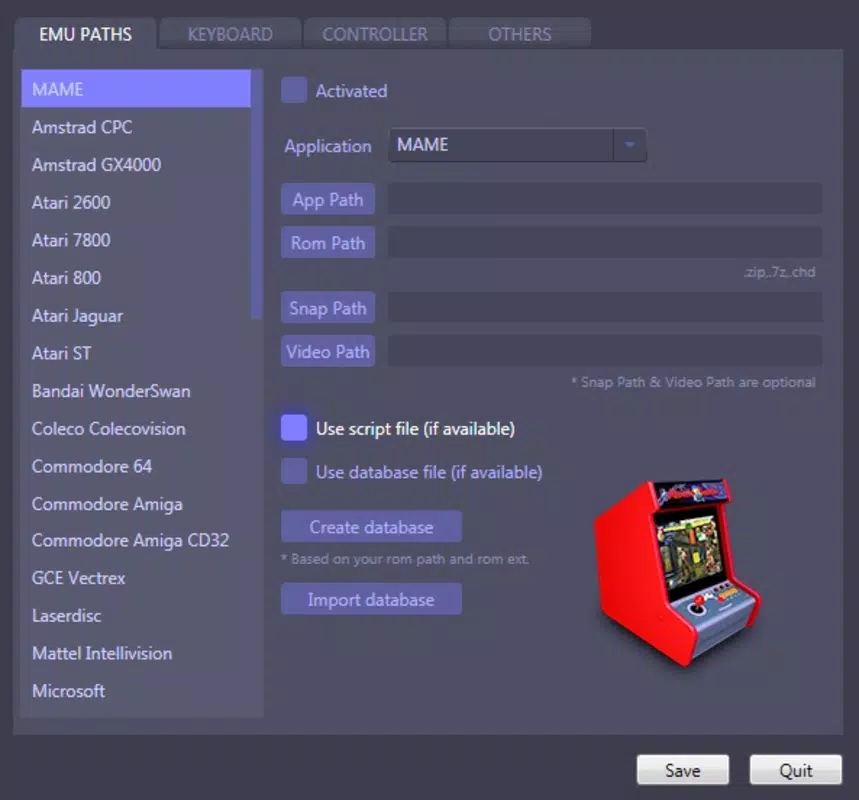
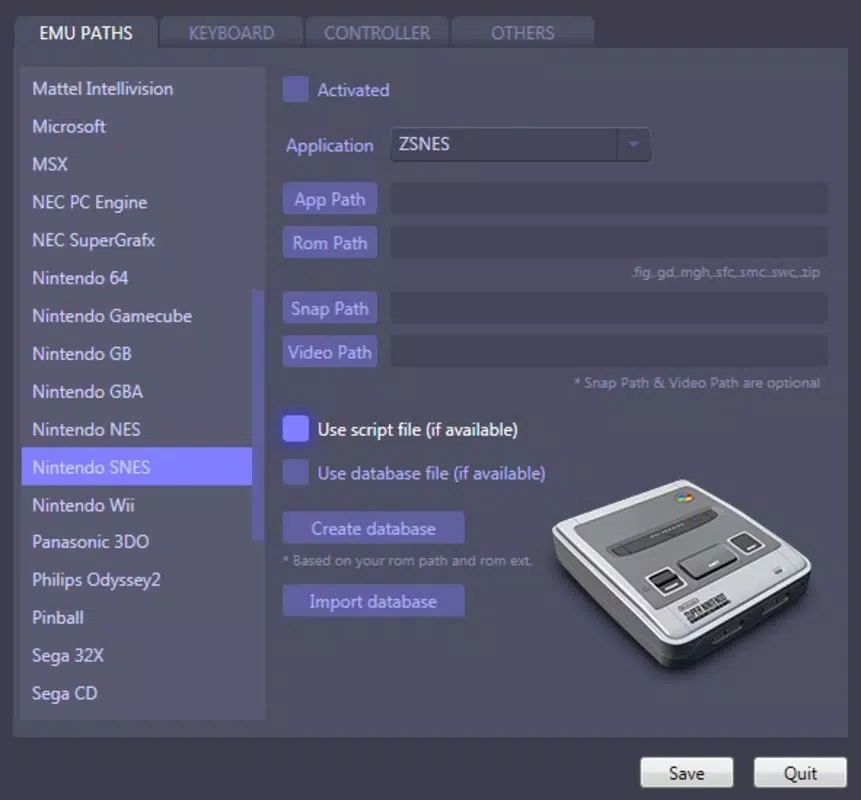
- Customizable Emulator Settings: Users can define directories for specific emulators, such as ZSNes for Super Nintendo or EPSXE for PlayStation, ensuring optimized performance and easy organization.
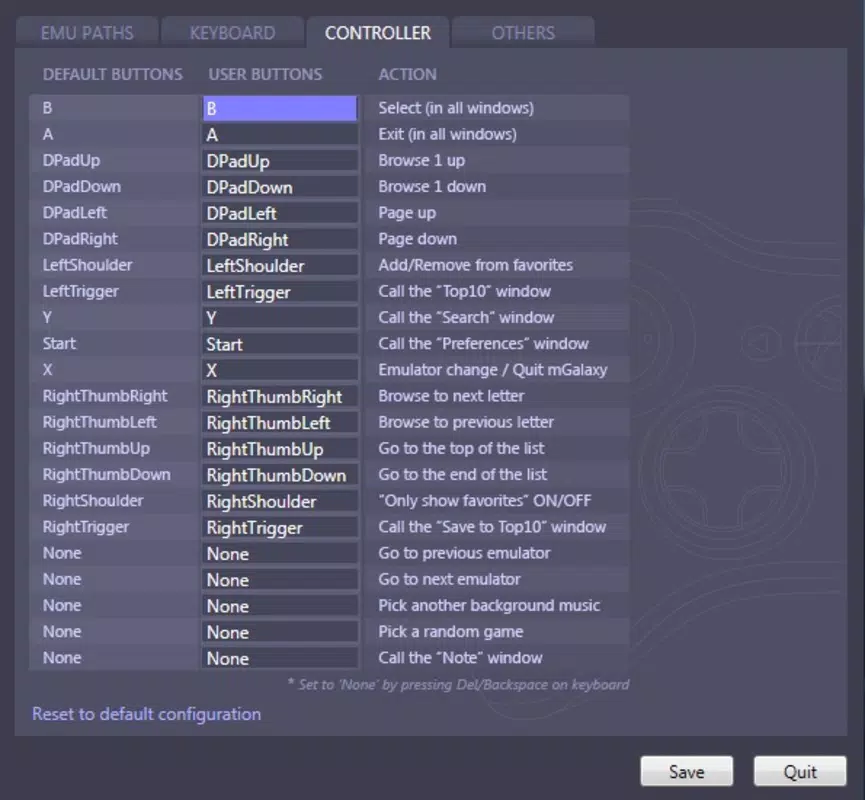
- Controller Configuration Options: The app supports various gamepads and allows for full customization of input mappings, making it ideal for users who prefer physical controllers over touchscreen controls.
- User-Friendly Interface: A beautifully designed frontend features game screenshots, categorized lists, and quick access to favorite and most-played titles, streamlining navigation and gameplay selection.
- Customizable Frontend Appearance: Users can personalize the interface with different skins, colors, and styles, allowing for a unique visual experience tailored to individual preferences.
For example, a user can configure mGalaxy to load all their NES ROMs from a specific folder and assign a Bluetooth gamepad for smooth gameplay. Another user might customize the interface to resemble a classic arcade cabinet, enhancing immersion during gameplay. These features collectively reduce setup complexity and improve usability, making retro gaming more accessible on mobile devices.
Interface, UX & Performance
The interface of mGalaxy is thoughtfully designed with a clean, modern layout that prioritizes ease of use. Game thumbnails, categorized menus, and quick-access panels allow users to navigate through their collection efficiently. The visual style is both functional and aesthetically pleasing, with smooth transitions and responsive elements that enhance the overall experience.
Navigation is intuitive, with clearly labeled sections for game libraries, favorites, and settings. Users can quickly locate and launch games without unnecessary steps. The app supports touch-based interaction, and with proper controller integration, it delivers a responsive and stable gameplay experience.
Although the developer did not list formal performance metrics, the app’s lightweight size of 42.3 MB suggests optimized resource usage. It is designed to run efficiently on a range of Android devices, though specific performance benchmarks were not provided. Stability and responsiveness appear consistent based on general user feedback, but detailed technical data was not disclosed.
Platform Compatibility & Technical Requirements
mGalaxy is available exclusively on Android, making it accessible to a wide range of mobile users. The app operates on Android devices with no specified minimum OS version, indicating broad compatibility across modern smartphones and tablets. The latest version, 2.0.3, is currently available for free download.
The app’s file size is 42.3 MB, which is relatively small for a retro gaming platform with extensive features. This compact size suggests efficient coding and minimal background overhead. However, the developer did not specify minimum OS requirements or hardware capabilities, so users are advised to ensure their device supports Android-based emulator operations.
Pros and Cons
Pros
- Free to download and use, making it accessible to all retro gaming enthusiasts.
- Supports a vast library of classic games from multiple consoles and arcade machines.
- Highly customizable emulator and interface settings for personalized gaming experiences.
- Intuitive UI with game thumbnails, favorites, and recent play tracking.
- Optimized file size for efficient mobile use without sacrificing functionality.
Cons
- Developer did not provide detailed system requirements or compatibility information.
- Performance may vary depending on device hardware and ROM file quality.
- No official support for iOS or other platforms.
- Users must manually manage game ROMs and emulator files.
- Customization options may be overwhelming for beginners unfamiliar with retro gaming setups.
FAQ
Is mGalaxy safe to download and use?
mGalaxy is a legitimate mobile app available on Android. However, users should only download it from trusted sources to ensure security. The app itself does not contain malware, but game ROMs must be obtained legally and responsibly.
Can I use mGalaxy on iOS devices?
Currently, mGalaxy is only available for Android. There is no official version for iOS, and the developer has not announced plans for an iOS release.
Do I need to pay to use mGalaxy?
No, mGalaxy is completely free to download and use. There are no in-app purchases or subscription fees.
What types of games can I play with mGalaxy?
mGalaxy supports games from various consoles and arcade machines, including Super Nintendo, PlayStation, NES, and arcade titles. The exact list depends on the ROMs and emulators you provide.
How do I update mGalaxy?
Updates are automatically available through the Google Play Store. Ensure your device is connected to the internet and check for updates in your app manager.
Final Thoughts
mGalaxy stands out as a powerful, free mobile solution for retro gaming enthusiasts seeking a streamlined, customizable arcade experience. Its ability to centralize thousands of classic games, support multiple emulators, and offer a polished interface makes it a standout tool in the mobile gaming space. While users must manage their own ROMs and may face compatibility challenges on older devices, the app’s flexibility and low barrier to entry make it ideal for both casual players and dedicated collectors.
For those passionate about classic games and looking to relive nostalgic moments on their smartphone or tablet, mGalaxy delivers significant value. The combination of a user-friendly design, extensive game support, and free access makes it a top choice for mobile retro gaming.
Download mGalaxy now


